LeftBlank: a macOS Typst writing app inspired by Emacs
I recently started a new open-source project called LeftBlank, or 留白 in Chinese. It is a macOS writing app built around Typst, for articles, technical notes, and longer documents. The app is free, the source is open, and a development preview is already available to download.
Most of my work is on the backend, so building a desktop app has given me quite a few things to learn. In this post, I want to introduce what LeftBlank can do today and explain how some ideas I encountered through Emacs influenced the project.
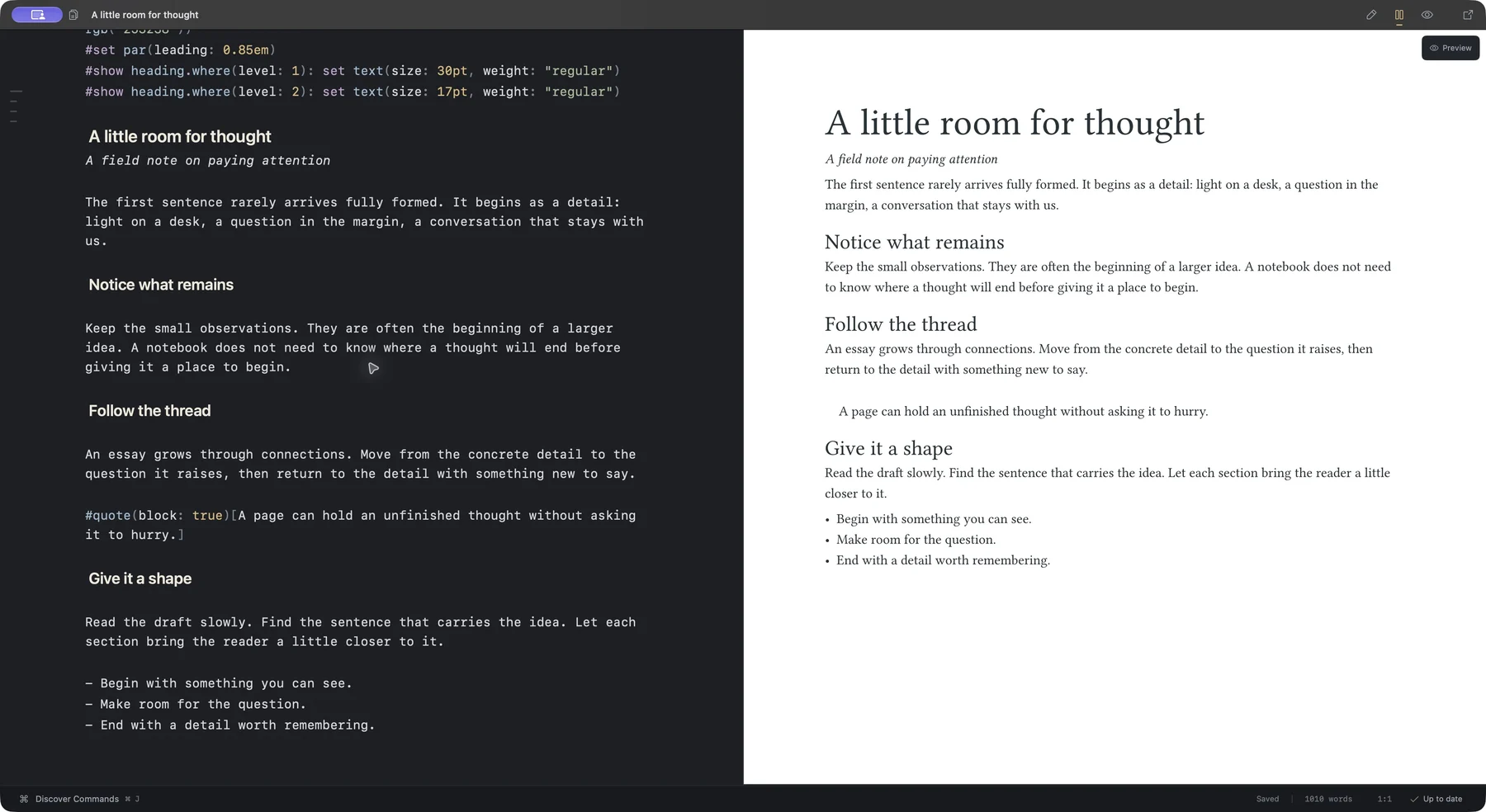
Background⌗
Writing a document usually involves two tasks: explaining the content clearly and laying out the page. For technical documents, equations, tables, code, and images add more work. Markdown is useful for taking notes, but when I need more control over the page layout, I need another tool as well.
Typst offers a useful option. It is a text-based typesetting system. A document is an ordinary source file, with markup and functions describing its content and style, which can then be compiled into a PDF. Here is a simple example:
= A technical note

Here is some ordinary text, followed by an equation:

$ f(x) = x^2 + 1 $

#table(
  columns: 2,
  [Component], [Description],
  [Editor], [LeftBlank],
  [Typesetting engine], [Typst],
)
Text, equations, and tables all live in the same document. For more complex tasks, packages from Typst Universe can help with things such as drawing diagrams or adding line numbers to code blocks.
With the typesetting engine in place, there is still plenty for an editor to do. How can I find a command easily? How can I move between the source and the page? How can a long article be more comfortable to read? LeftBlank focuses on these everyday tasks, bringing writing and the typeset result together in one app.
What I learned from Spacemacs and which-key⌗
In 2020, I wrote a short introduction to Spacemacs. It was mostly a list of common operations and their key sequences. One design I liked was being able to see the available commands after pressing a prefix key.
As an editor gains more features, it also gains more shortcuts. The few I use every day are easy to remember, but a command I use occasionally is easy to forget. Spacemacs and which-key offer a practical approach: group commands by purpose and show what is available at each step.
LeftBlank uses a similar approach. Press ⌘J to open the command panel, then follow the hints. To insert a table, for example:
- Press
⌘Jto open the command panel. - Press
ito enter the insert group. - Press
tto insert a table.
If I do not know which group a feature belongs to, I can press / to search all commands. Common operations also have direct shortcuts, so they can be executed immediately once they become familiar.
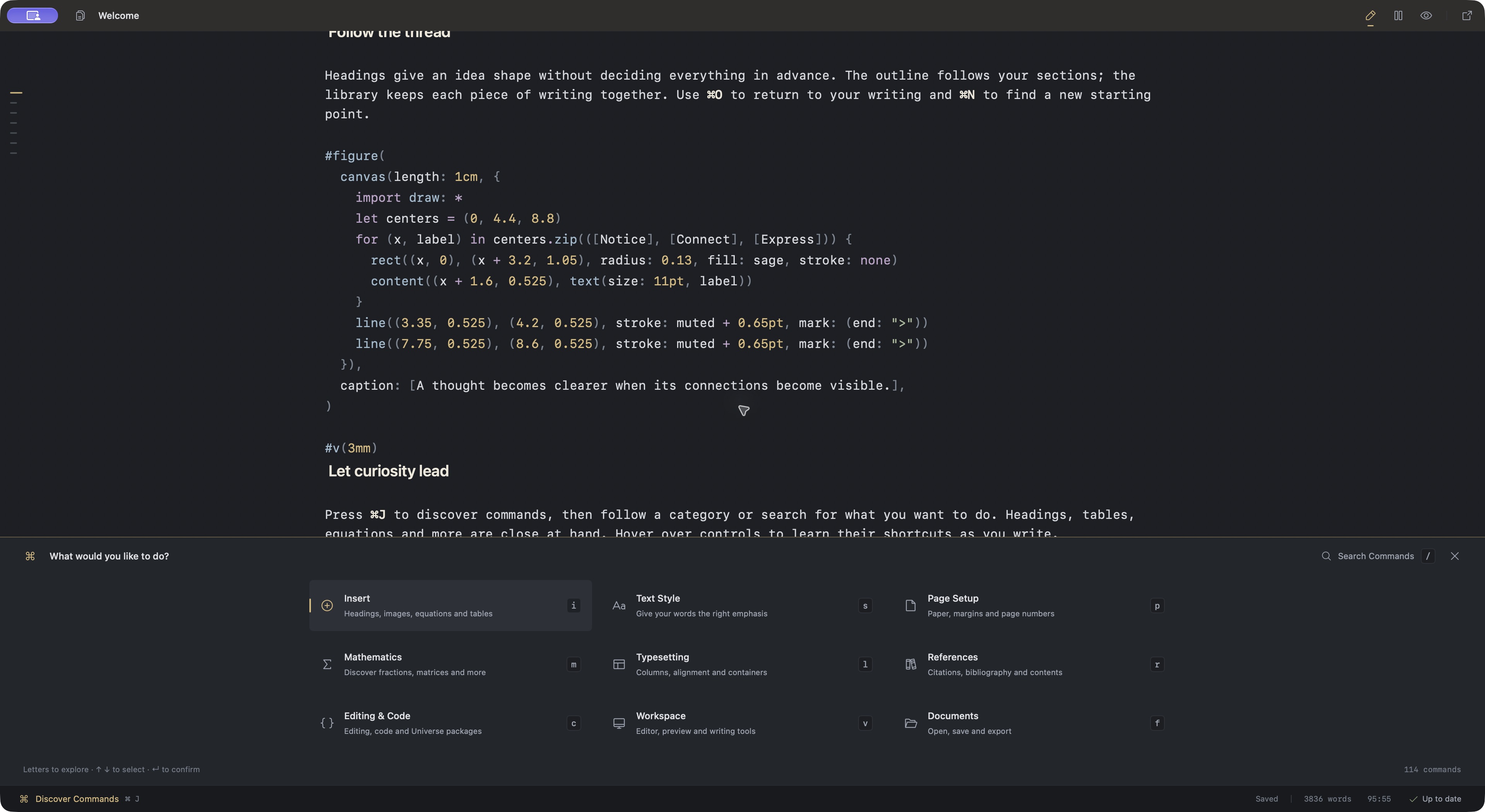
I find this easier to get started with than reading a shortcut reference first. At the beginning, I can follow the hints to find a feature. After using it a few times, the common sequences become familiar.
The influence of Org-mode and nano-emacs⌗
One lesson I took from Org-mode is that plain text can have a comfortable reading and editing experience. Headings can show hierarchy, an outline can organize an article, and the underlying text can remain a file that is easy to open and edit. LeftBlank keeps this idea in its editor.
Headings, emphasis, and inline code have corresponding styles in the editing area. Moving the caret into a paragraph reveals its source markers for editing. An outline beside the text helps me find sections without scrolling through the whole document.
These display styles leave the original Typst source intact. Saving and copying preserve the original text, and the source can be exported for further editing in another editor.
nano-emacs also had a strong influence on the interface, especially its colors, spacing, and simplicity. LeftBlank has light and dark appearances. While writing, I can use the editor alone, then switch to a split view or a preview to check the page. The aim is to keep the content easy to see and reduce the attention the interface needs.
Implementation and everyday features⌗
LeftBlank is built with SwiftUI and AppKit, with editing based on native macOS text controls. Tinymist provides Typst language services and live preview, and typesetting runs locally. The required components are bundled with the app, so there is no separate Typst installation to set up.
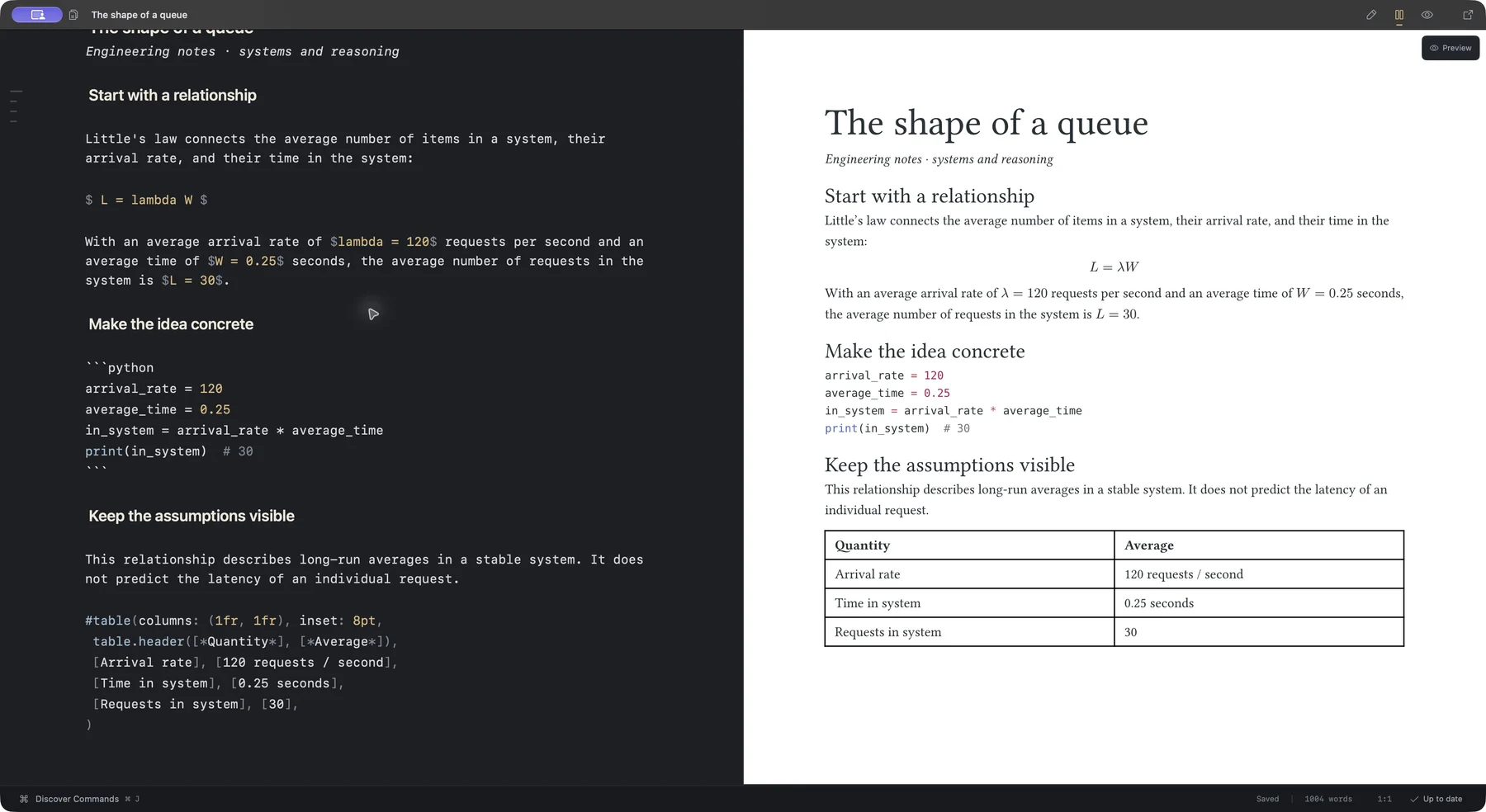
The editor and preview also work together. Double-clicking content in the preview jumps to the corresponding source position. A selection in the source can also be located in the preview. When checking a table or an equation, I can move directly between its source and its appearance on the page.
Beyond the editor, a few features are already available:
- Browse templates and packages from Typst Universe, read their documentation, and insert imports with an explicit version.
- Autosave and local source history, with comparison and restoration of retained versions.
- Import an existing
.typfile or a project folder and continue editing it. - Export a PDF or editable Typst source.
Document history is kept on the current Mac and covers source text. Images and other project files still need their own backups.
The current preview⌗
The current release is a development preview for macOS 14 or later on Apple silicon, with Chinese and English interfaces. There is still work to do. Long-document editing, Chinese input, and the interaction between editing and preview need continued refinement through actual use.
Downloads, source code, and editable examples are linked from the LeftBlank website. If it looks interesting, please give it a try. Issues are welcome, whether something is awkward to use or there is a feature worth adding.
In my earlier open-source projects, many improvements came from other people’s usage and feedback. I hope LeftBlank can gradually become a tool people enjoy using every day. Thanks also to Typst, Tinymist, and the Emacs community for the implementations and ideas this project has learned from.